Version control for people
who just want to build.
A UX concept for a friendly Git interface that helps citizen builders save their progress, share code, and collaborate with confidence.
The starting point
Friends in Venezuela wanted to share code and save versions of their projects, but found Git too technical. I heard the same recurring requests while conducting citizen builder office hours as part of my role at Netflix. Together, these experiences inspired Trail, a UX concept for simpler version control.
What mattered to users
I researched what mattered most to potential users through conversations with friends in Venezuela. Their priorities became five principles for Trail:
- Keep it simple. The usability goal: an eight-year-old should be able to use it.
- Make it beautiful. A welcoming, thoughtfully designed interface should make people want to use it.
- Make version control clear. Make it easy to restore an earlier version, stage or test changes, and understand the differences between versions.
- Make sharing easy. Let people share code and collaborate.
- Connect AI tools in one click. Make connecting Claude, ChatGPT, or another tool as simple as pressing a button.
The idea
I created Trail as a visual workspace for projects built with AI. Builders can save progress, compare changes, revisit earlier versions, and share their work, with a record of which AI tools contributed.
The design
Four screens cover the essentials: a project dashboard, version history, side-by-side comparisons, and sharing. Familiar cards, warm colors, and plain-language actions make the interface feel approachable.
The concept in four screens
Explore the dashboard, version history, comparisons, and sharing flow.
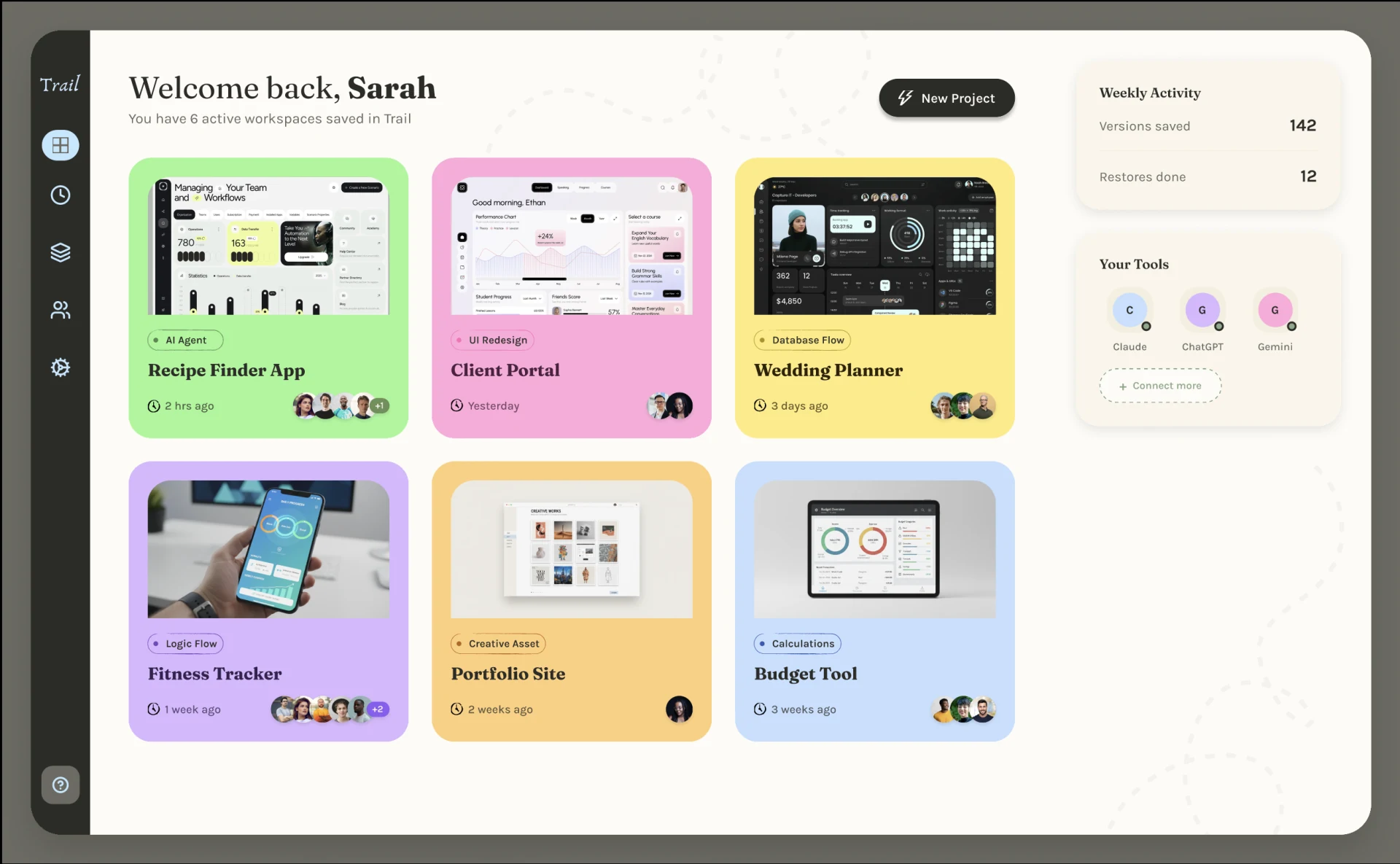
Project dashboard
A home for saved workspaces, recent activity, and connected AI tools. Project cards make it easy to pick up where you left off.
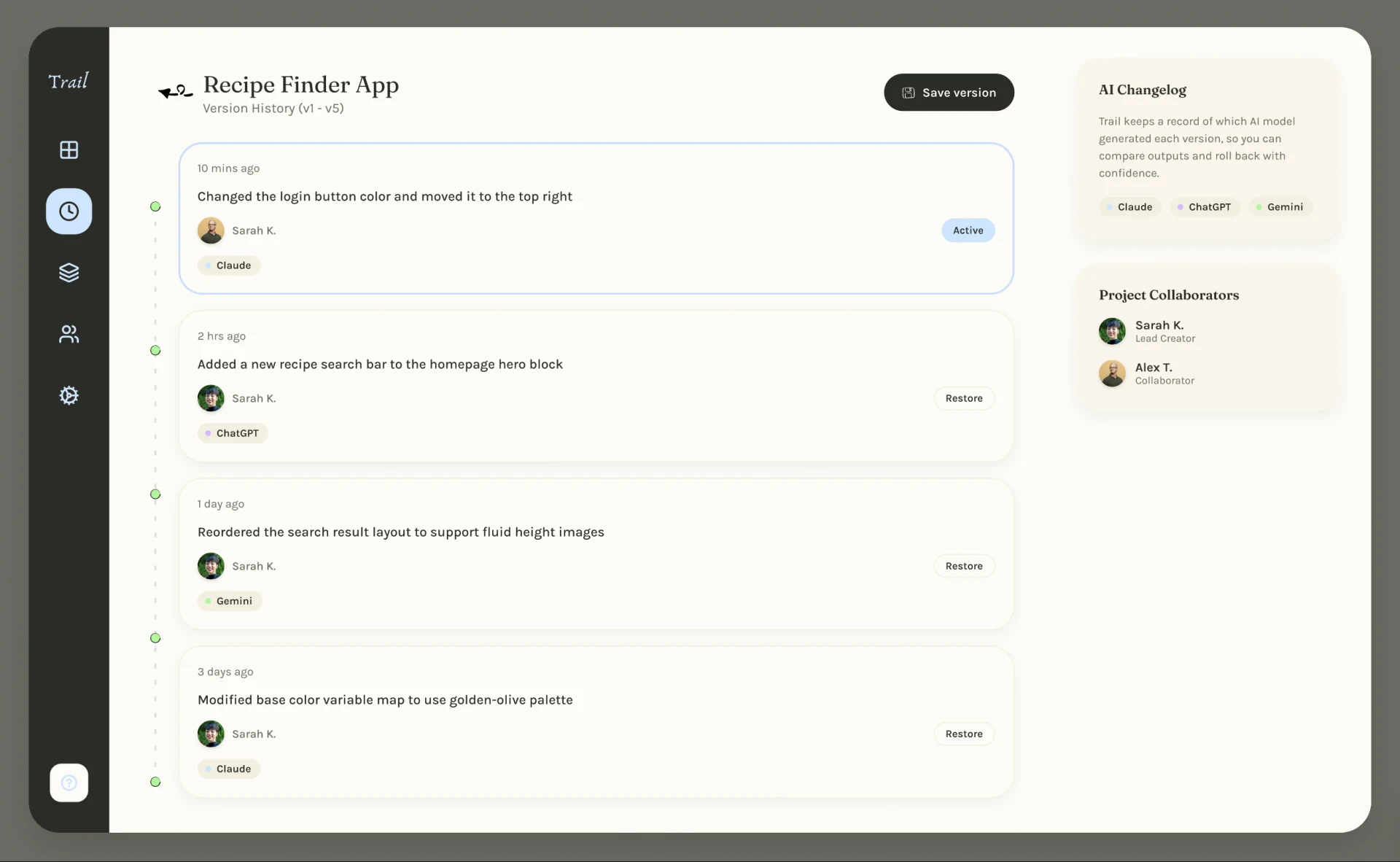
Version history
A timeline of saved changes, with the collaborator and AI model behind each version. Review earlier work and choose a version to restore.
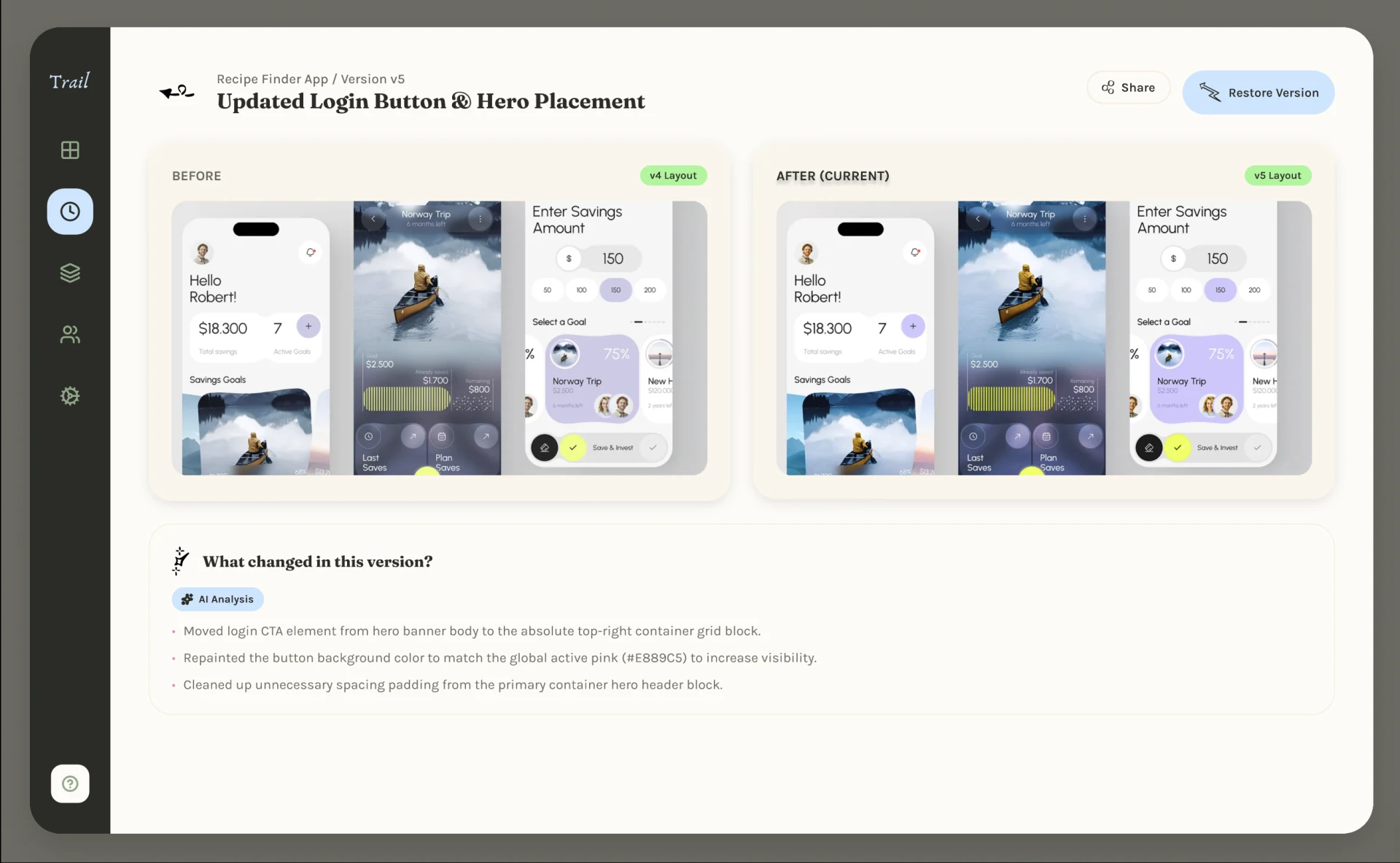
Version comparison
Compare two versions side by side and review a summary of what changed before deciding which version to restore.
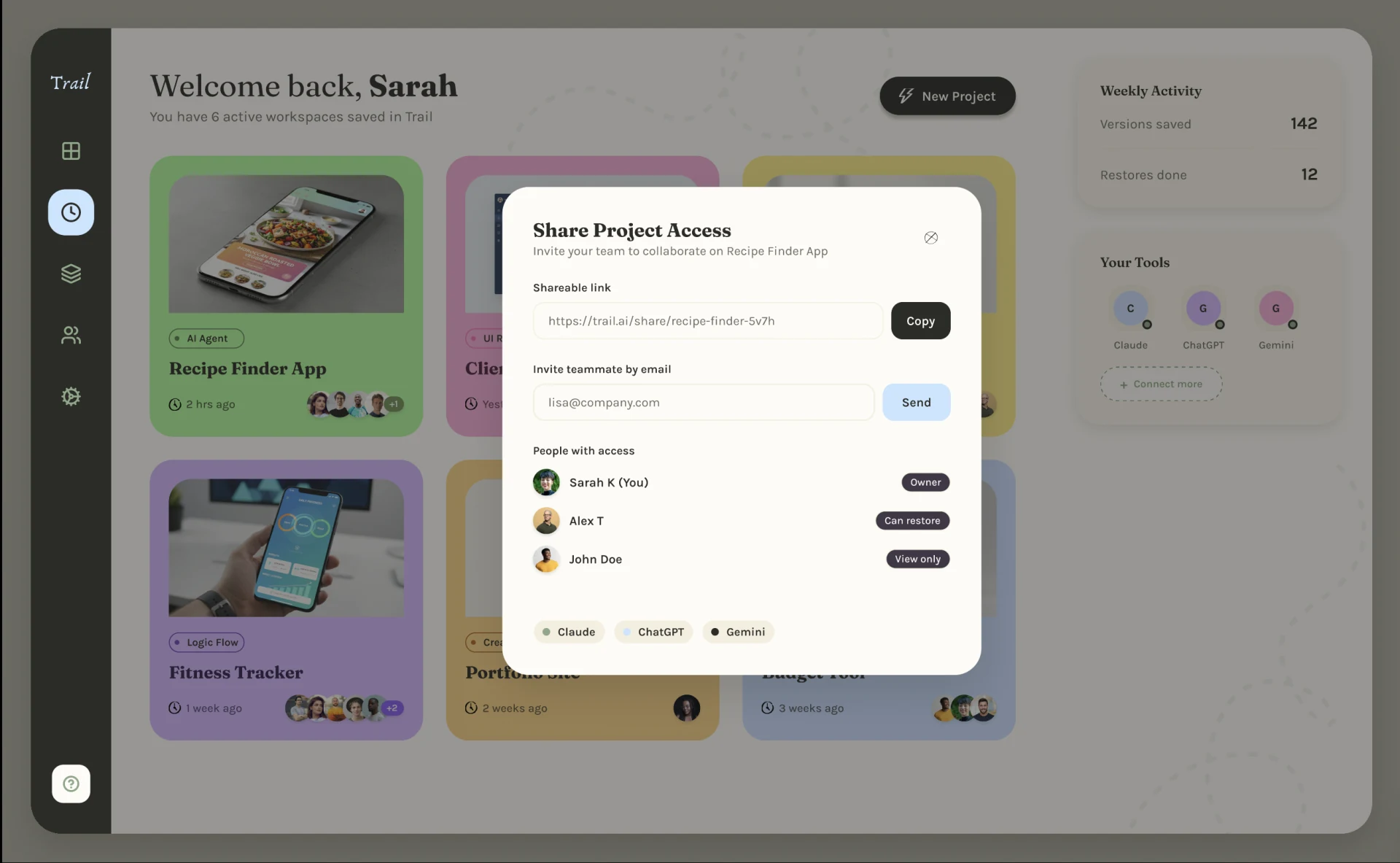
Sharing and access
Share a project link, invite collaborators, and set access levels so teammates can view the work or help manage versions.